A Comprehensive Guide to Market Research Tools for Entrepreneurs
Market Research Tools: A Comprehensive Guide for Entrepreneurs
Most guides to market research tools read the same way: a list of eight or nine familiar names, a paragraph on each, and no real answer to the question an entrepreneur actually has, which is “where do I start with the budget and time I have right now.” The tool landscape has also shifted. AI-powered research assistants now sit alongside the SurveyMonkeys and Google Trends of the world, and skipping them means missing a genuinely faster way to get early answers.
This guide breaks the tools down by what they’re actually for, tells you what’s free versus what isn’t, and covers where AI tools fit into a founder’s research stack.
Why market research tools matter
You cannot interview every potential customer or read every competitor’s mind. Tools close that gap. A well-chosen research stack tells you whether people are searching for what you’re building, what your competitors are doing well and where they’re falling short, and what your own customers actually think once you have some.
Skip this step and you’re building on guesses. That’s expensive to fix after launch. It’s far cheaper to fix before you’ve spent a dollar on development or ad spend.
How to choose the right tools for your stage
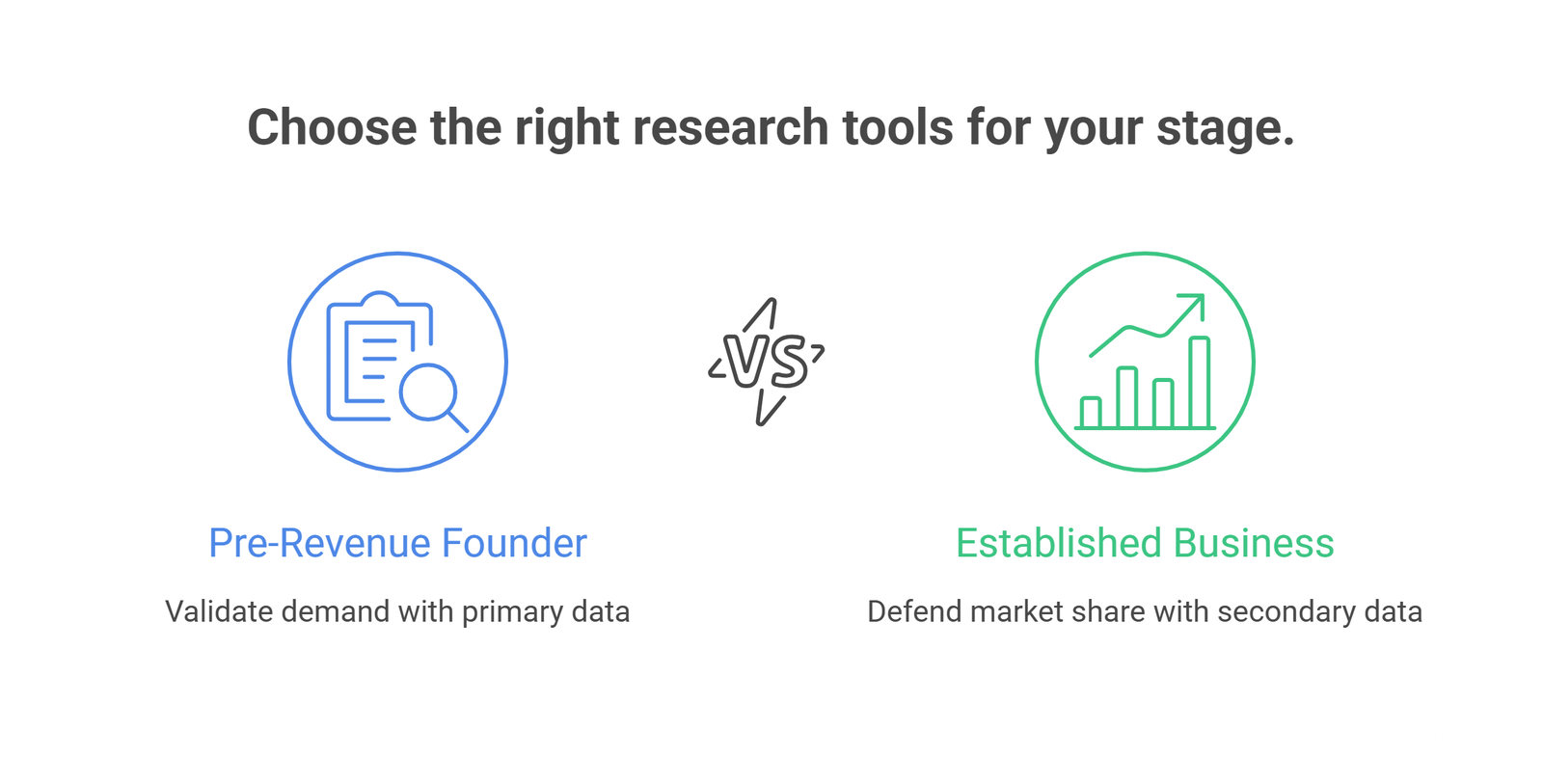
Before picking any tool, get clear on what question you’re trying to answer. A pre-revenue founder validating demand needs different tools than a two-year-old business trying to defend its market share against a new competitor.
A few questions worth asking first:
- What decision does this research inform? Product design, pricing, a funding pitch, or a marketing budget each point to different tools.
- What’s the budget? Most of the tools below have usable free tiers. Paid plans matter more once you’re running research regularly, not for a one-off check.
- Do you need primary data (direct customer input) or secondary data (existing industry numbers)? Surveys and interviews are primary. Statista and census data are secondary.
If the research is feeding into a pitch or a formal go-to-market plan, lean toward tools that produce a defensible number, not just a vibe.
Tools for direct customer feedback
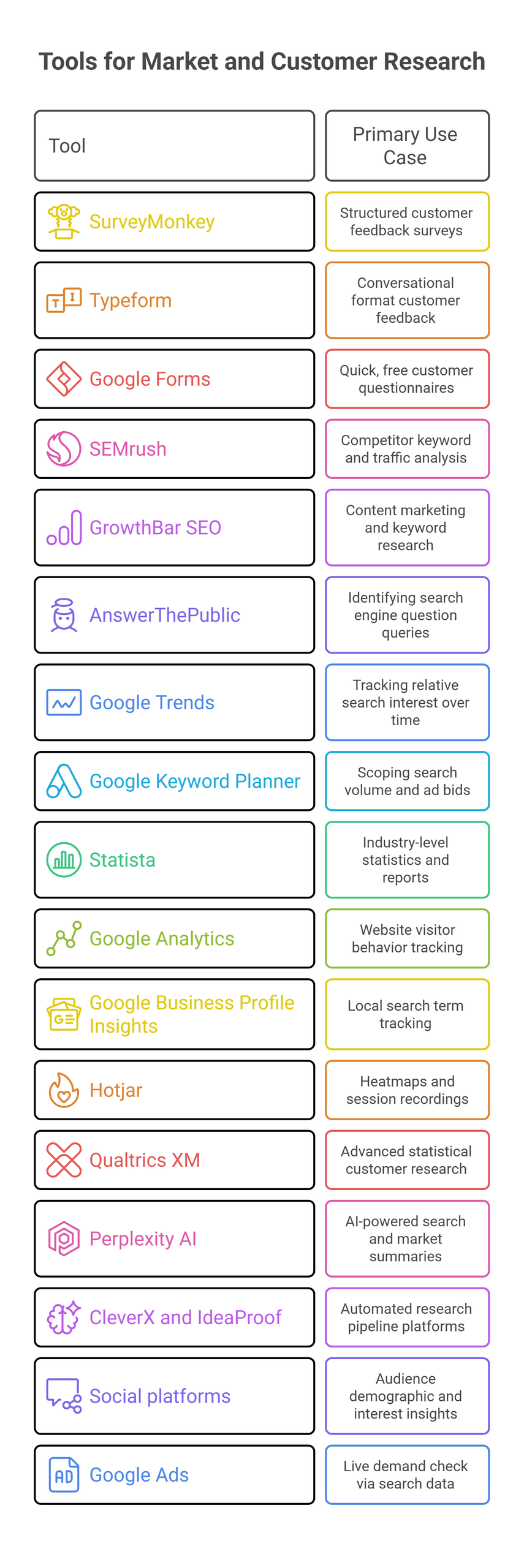
Direct feedback beats assumptions every time. These tools collect it.
SurveyMonkey remains a solid default for structured surveys. Its free tier caps you at 10 questions and 25 responses per survey, which is tight but workable for an early test. Paid plans unlock more volume and better analytics, including basic segmentation by respondent demographics.
Typeform asks one question at a time in a conversational format. That tends to raise completion rates compared to a long form, which matters if you’re trying to get honest, detailed answers rather than rushed ones. The free tier is limited to a small number of responses a month, so it works best for a short, high-value survey rather than ongoing feedback collection.
Google Forms is free with no meaningful limits and integrates cleanly with the rest of the Google ecosystem. It lacks the polish of SurveyMonkey or Typeform, but for a quick customer questionnaire it does the job without any cost.
Tools for competitor and content research
Understanding what competitors are doing, and what gaps they’re leaving, shapes your positioning as much as anything else in your market analysis.
SEMrush shows you which keywords a competitor ranks for, where their traffic comes from, and how their backlink profile compares to yours. The free tools have daily usage caps, but they’re enough to run a first pass on two or three competitors without paying anything.
GrowthBar SEO covers similar ground with a simpler interface, aimed more at content marketers who want long-tail keyword ideas and a quick read on what’s ranking. It’s a reasonable lighter-weight alternative if SEMrush feels like overkill for your stage.
AnswerThePublic pulls autocomplete data to show the actual questions people type into search engines around a topic. It’s a fast way to spot a question your competitors aren’t answering on their site, which is often a content opportunity. The free version is capped at three searches a day.
Tools for tracking trends and industry data
Google Trends is free and shows relative search interest over time, filterable by region and category. It won’t tell you market size, but it’s a fast gut check on whether interest in what you’re building is rising, flat, or seasonal.
Google Keyword Planner adds search volume and suggested ad bids on top of that, which is useful for scoping demand around specific product terms before you write a line of marketing copy.
Statista is worth checking for industry-level statistics and reports, though the free tier only gets you partial access. If you’re preparing numbers for an investor-ready business plan, a paid Statista subscription or a targeted industry report can be cheaper than commissioning original research.
Tools for understanding your own audience
Google Analytics remains the standard for understanding who visits your site, where they came from, and what they do once they arrive. Pair it with Google Business Profile Insights if you have a physical location, since that shows the search terms that led customers to find you locally.
Hotjar adds heatmaps and session recordings on top of raw analytics numbers, which helps explain why visitors are dropping off a page rather than just confirming that they are. Its free tier covers a modest number of daily sessions, enough for most early-stage sites.
Qualtrics XM sits at the higher end of this category. It’s built for structured customer feedback panels, video responses, and deeper statistical analysis, and it’s better suited to a business already running research on a regular cadence than a first-time founder testing an idea.
AI-powered research tools worth knowing about
This is where most existing guides fall behind, because the AI research category keeps moving faster than most tool lists get updated.
Perplexity AI works like a search engine that answers in plain language with cited sources. It’s genuinely useful for the early “get me up to speed on this market” phase of research, where you’d otherwise spend an afternoon reading through search results one tab at a time.
A newer group of tools, including platforms like CleverX and IdeaProof, now automate parts of the research pipeline itself: running structured studies against a recruited or bring-your-own audience, or pulling together a first-pass competitor and demand analysis from a single prompt. They won’t replace talking to real customers, and the accuracy of any AI-generated market sizing should be checked against a second source before it goes into a pitch deck. But for a founder trying to get a directional answer fast, before committing budget to a fuller study, they’re a legitimate addition to the stack that older tool lists tend to leave out entirely.
Social platforms and paid ads
Social platforms double as free research tools if you’re already active on them. Facebook and Instagram’s built-in audience insights show the age, location, and interests of the people engaging with your content. LinkedIn’s page analytics do the same for a B2B audience. None of this requires a separate subscription.
Google Ads works differently: it’s built for running campaigns, but the keyword and audience data you see while setting one up doubles as a live demand check, showing you how many people are actually searching for what you sell.
Comparing the core tools at a glance
| Tool | Best for | Free tier | Category |
| SurveyMonkey | Structured customer surveys | Yes, limited | Direct feedback |
| Typeform | Conversational, high-completion surveys | Yes, limited | Direct feedback |
| SEMrush | Competitor SEO and traffic analysis | Yes, capped daily | Competitor research |
| AnswerThePublic | Customer question and content gap research | Yes, 3 searches/day | Competitor research |
| Google Trends | Search interest over time | Yes | Trend data |
| Statista | Industry statistics and reports | Partial | Industry data |
| Google Analytics | Website visitor behavior | Yes | Audience insight |
| Hotjar | Heatmaps and session recordings | Yes, limited | Audience insight |
| Perplexity AI | Fast, cited market overviews | Yes | AI research |
Frequently Asked Questions
Do I need paid tools to do proper market research as a new entrepreneur?
No. Google Forms, Google Trends, Google Analytics, and the free tiers of SEMrush and AnswerThePublic cover most of what an early-stage founder needs. Paid tools become worth it once you’re running research regularly or need deeper statistical analysis.
What is market segmentation, and why does it matter for tool selection?
Market segmentation divides your target market into groups based on demographics, behavior, or preferences. Tools with strong segmentation features, such as SurveyMonkey’s paid tiers or Google Analytics’ audience reports, help you tailor messaging to each group rather than treating your whole market as one audience.
Can AI tools replace traditional market research methods?
Not entirely. AI tools like Perplexity are strong for fast secondary research and getting oriented in a new market, but they can’t replace direct conversations with real customers or validated primary data. Use them to speed up the early stages of research, then confirm anything critical with a survey, interview, or a second data source.
How often should I revisit my market research tools and findings?
For an early-stage business, revisit your core research (competitor positioning, search demand, customer feedback) every quarter, or sooner if you’re about to make a major pricing or product decision. Markets move, and a year-old competitor analysis can miss a new entrant entirely.
What’s the fastest way to validate a new product idea with these tools?
Start with Google Trends to check search interest, run a short SurveyMonkey or Typeform survey to your existing audience or a relevant online community, and use AnswerThePublic to see what questions people are already asking about the problem you’re solving. That combination gives you a directional answer in a few days without any budget.
The bottom line
The right stack depends less on which tools are “best” and more on the question you’re trying to answer this month. Start with one or two free tools tied to your most urgent decision, add AI research assistants for the early scoping work, and layer in paid tools only once you know exactly what gap they’d close.
If you’d rather have that analysis done for you, with numbers you can put directly into a pitch or a budget, Oak’s market research service covers competitive positioning, demand validation, and customer insight as part of a single engagement. It pairs well with our fractional CFO services if the research is feeding into a funding round or a pricing decision. Contact us to talk through what your business actually needs before you spend on a research subscription you might not use.