

Excel and digital templates by Oak Business Consultant
Amortization and Depreciation Schedule Template
The Amortization & Depreciation Schedule Template is an easy to use Excel tool that automates monthly depreciation and amortization for fixed and intangible assets. With editable 60-month terms, built-in formulas, and clear schedules, it helps businesses track asset value, manage expenses, and simplify financial reporting with accuracy and efficiency.
Original price was: $120.$50Current price is: $50.
- Instant download
- Secure checkout
- Personal & business licence


Product details
Amortization and Depreciation Schedule Template: Overview
The Amortization & Depreciation Schedule Template is a ready to use Excel tool designed to help businesses accurately calculate and track the depreciation of fixed assets and the amortization of intangible assets over time. Whether you’re managing machinery, vehicles, software, or goodwill, this template gives you a complete and transparent view of asset value reduction month by month.
Key Features
-
Dual Asset Management: Separate input sections for both Fixed Assets and Intangible Assets, allowing you to manage all assets in one place.
-
Automatic Calculations: Simply enter asset cost, useful life (up to 60 months), start date, and method — the template will generate a full monthly schedule automatically.
-
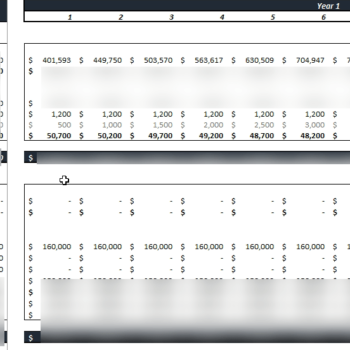
Depreciation & Amortization Schedule: Detailed breakdowns showing expense per month, accumulated amounts, and book value over the asset’s life.
-
Customizable Useful Life: Default 60-month terms can be easily adjusted based on your asset’s expected lifespan.
-
Comprehensive Asset Tracking: Offers detailed calculation tables for all assets over a 60-month projection period, enabling clear visibility into expense allocation and book value changes
-
Built-in Formulas: All formulas are pre-set, ensuring accurate and consistent results every time.
-
Printable & Presentation Ready: Professionally formatted for management reports or audit purposes.
What’s Inside
-
Input Sheet for Fixed Assets (cost, start month, depreciation method, term).
-
Input Sheet for Intangible Assets (cost, start month, amortization term).
-
Automatic Depreciation Schedule for fixed assets.
-
Automatic Amortization Schedule for intangible assets.
-
Easy to edit Excel format — no complex setup needed.
FAQs
1. What does this template do?
It calculates monthly depreciation and amortization for fixed and intangible assets automatically.
2. Can I edit the asset life?
Yes, you can change the term — default is 60 months but fully customizable.
3. Does it work for both fixed and intangible assets?
Yes, it has separate input sections for each.
4. Do I need advanced Excel skills?
No, it’s beginner-friendly and fully automated.
5. Can I use it for multiple assets?
Yes, you can add and track different assets in the same file.
Terms of Use:
Oak Business Consultant and our products, including this financial model template, are not officially connected to any software unless stated. Your purchase grants a single license for personal or business use.
Note:
Our product is a digital Excel file. Due to the nature of digital products, we cannot offer returns or exchanges. We encourage you to address any queries or seek clarification before finalizing your purchase.
Need More Help?
Email us at info@oakbusinessconsultant.com to get a customized Amortization & Depreciation Schedule Template.
Walk-Through Video of Amortization and Depreciation Schedule Template
How it works
How do you get and use a template?
Three steps from checkout to your own numbers.
1. Check out and download
Add the template to your cart and check out. Your download link appears on the order confirmation and in your account.
2. Add your numbers
Open the file and replace the sample inputs with your own assumptions.
3. Use the results
Review the outputs and charts, and use them in your plan, budget or investor pack.
Template or done for you?
Need it built around your business?
A template suits standard inputs. If you need several entities, an investor or lender-ready model, or a full three-statement forecast, Oak’s financial modelling team can build it with you.
Template vs. done for you
| Option | Template | Done for you |
|---|---|---|
| Who builds it | You | Oak’s team |
| Best for | Standard inputs, one plan | Investor, lender or multi-entity work |
| Next step | Add to cart | Book a 30-minute call |

Related templates
Which templates work well with this one?
Chosen from the same categories in the shop.
Related products
-
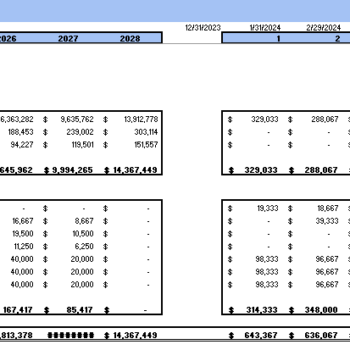 Browse by Categories, Browse by Industry, Deals, Financial Excel Model, Financial Excel model Valuation Templates, Financial Excel Template, financial forecasting modeling, Financial Forecasting Models, financial model, Financial model excel template, financial modeling, KPI Dashboard Excel, Services/ Consulting, Services/ Consulting Financial Model, Small Online Business Excel Financial Model Projection, Startup, Startup Financial Model
Excel Financial Model Template
$25 - Browse by Categories, Browse by Industry, Financial Excel Model, Financial Excel Template, KPI Dashboard Excel, SaaS Industry, SaaS Industry Financial Model, Services/ Consulting, Services/ Consulting Financial Model, Small Online Business Excel Financial Model Projection, Software Business Financial model, Startup
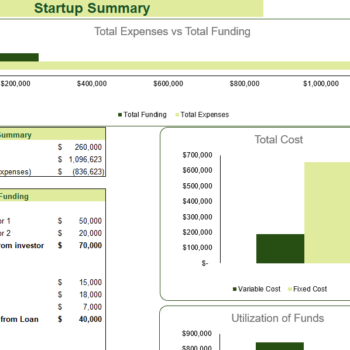
Online Freelancer Platform Financial Model
Original price was: $125.$50Current price is: $50. - Browse by Categories, Browse by Industry, Business Plan, Financial Excel Model, Financial Excel Template, KPI Dashboard Excel, Services/ Consulting, Services/ Consulting Financial Model, Startup
Social-Media Marketing Agency Excel Financial Model
Original price was: $250.$50Current price is: $50.



Browse the shopAll templatesTools and templatesFinancial Excel modelsEvery industry
Policies
What should you know before you buy?
Plain-language terms for digital products.
Licence of use
Single licence for personal or business use. Do not redistribute, resell or share the files.
Refunds
Digital products cannot be returned or exchanged once downloaded. Please ask any questions before you buy.
Delivery
Instant digital download after checkout. There is nothing to ship.
SDG note: digital templates and planning tools support SDG 8 (decent work and economic growth), SDG 9 (industry, innovation and infrastructure) and SDG 12 (responsible consumption, with no printing or shipping). Self-assessed by Oak, not a UN endorsement.
Not sure this is the right template?
Book a 30-minute call and we will point you to the right model, or build one for you.
Open 24 hours, Monday to Friday. Closed Saturday and Sunday.
Learn moreAbout OakMeet Sadaf Abbas


