Best Financial Budgeting Tools You Will Ever Need
Top Financial Budgeting Tools
Managing money without the right tools is like trying to navigate a new city without a map. You might eventually get where you need to go, but you will waste a lot of time, take wrong turns, and stress yourself out along the way. The good news? There are financial budgeting tools out there for every type of business, every skill level, and every budget size.
This guide walks you through all of them: from the tried-and-true spreadsheet to sophisticated cloud-based platforms, and even the option of bringing in a professional. We will also cover exactly when to use each tool, so you can match the right solution to your actual situation.
Why Financial Budgeting Tools Actually Matter
The most successful businesses share one habit: they stay proactive about their finances. They do not wait until the end of the quarter to realize they overspent, and they do not guess when it comes to cash flow. They track, they plan, and they adjust.
You cannot manage what you do not measure. That sentence sounds simple, but it is genuinely the difference between a business that scales and one that struggles.
Good financial budgeting tools give you three core things:
- Visibility into where your money is actually going
- Control so you can make informed decisions before problems arise
- Confidence when presenting financials to investors, partners, or lenders
Whether you are a solo founder watching every dollar or a CFO overseeing multiple departments, the right tool changes how you operate.
Spreadsheet Software: The Classic That Still Works
What Makes Spreadsheets So Powerful
Before apps, before SaaS platforms, and before cloud-based financial dashboards, there were spreadsheets. Programs like Microsoft Excel and Google Sheets have been the backbone of financial budgeting for decades, and for good reason: they are flexible, powerful, and available to almost everyone.
Spreadsheets let you build custom formulas tailored to your specific business, visualize data through charts and graphs, and adapt your budget structure as your needs change. No two businesses are identical, and a spreadsheet lets you reflect that.
They work just as well for personal finance as they do for complex business budgeting, which makes them uniquely versatile.
Are Spreadsheets Still a Good Choice?
Absolutely, but with some caveats. For someone starting out, tracking freelance income, or running a small business with straightforward finances, a spreadsheet is often all you need. It costs nothing (Google Sheets is free), has almost no learning curve for basic use, and can grow with you.
The limitations show up when your finances get complex. Spreadsheets require manual data entry, which opens the door to human error. They do not sync automatically with your bank accounts or accounting software. And as your data grows, maintaining accuracy takes more time.
So: great starting point, and perfectly adequate for many businesses long-term. Just know the ceiling.
Getting Started: A Simple Framework
If you are new to spreadsheet budgeting, here is how to set up a clean, functional budget template:
Step 1: Pick your platform. Google Sheets for free, always-accessible collaboration. Microsoft Excel for more advanced formula capabilities. Apple Numbers if you are in the Apple ecosystem. QuickBooks Pro if you want something closer to full accounting software.
Step 2: Build your template headers. At minimum, include:
- Date
- Description
- Category
- Income
- Expenses
- Running Total
Step 3: Create category breakdowns. Rent, payroll, software subscriptions, marketing, utilities, taxes, and any other areas specific to your business.
Step 4: Set up monthly views. Comparing month-over-month helps you catch trends early.
Step 5: Add alerts. Most spreadsheet programs let you set conditional formatting or basic alerts when values cross a threshold (like when a category spend exceeds budget).
Expert Tips for Beginners
Start simple, then build. Track income and expenses for one month before adding projections, dashboards, or complex formulas. Understanding your baseline is the most important first step.
Avoid taking on debt where possible. Budgeting tools show you the full picture. If that picture includes growing debt, use that information to act. Pay off existing balances as quickly as your budget allows and build a small emergency fund to avoid new debt when unexpected costs hit.
Set SMART financial goals. Specific, Measurable, Achievable, Relevant, and Time-bound. Instead of “save more money,” try “allocate $1,500 per month to business reserves for the next 6 months.” That is a goal you can track and actually hit.
Budgeting Apps: The Modern Approach
How Apps Compare to Spreadsheets
Budgeting apps have evolved dramatically. They are no longer just digital versions of a ledger. Today’s apps integrate directly with bank accounts, credit cards, and payroll systems. Transactions are pulled in automatically, categorized intelligently, and displayed in real-time dashboards.
Here is a side-by-side comparison of where apps and spreadsheets each shine:
| Feature | Spreadsheets | Budgeting Apps |
| Cost | Free to low | Free to premium tiers |
| Setup time | Moderate | Low |
| Bank sync | Manual | Automatic |
| Customization | Very high | Moderate |
| Error risk | Higher (manual entry) | Lower |
| Forecasting | Possible but manual | Built-in |
| Learning curve | Moderate | Low |
| Best for | Custom, complex needs | Ongoing tracking and alerts |
What to Look for in a Budgeting App
Scope and integrations. A good app connects with your existing tools: your bank, your accounting software, your payroll provider. The more automated the data flow, the less time you spend on admin.
Features that match your stage. Early-stage businesses need expense tracking and cash flow visibility. Growing businesses need forecasting, debt management tools, and the ability to generate reports. Make sure the app you choose is not already at its feature ceiling for where you are headed.
Ease of use. The best budgeting tool is the one you actually use. If the interface frustrates you or your team, you will find excuses not to open it. Look for something intuitive, ideally with a mobile app so you can check in anywhere.
Limitations to know about. Most consumer budgeting apps were designed with individuals in mind. For businesses, especially those with multiple revenue streams, custom expense categories, or complex payroll, you may hit limitations quickly. Know this going in and upgrade when necessary.
When to Use Budgeting Tools: Four Real Situations
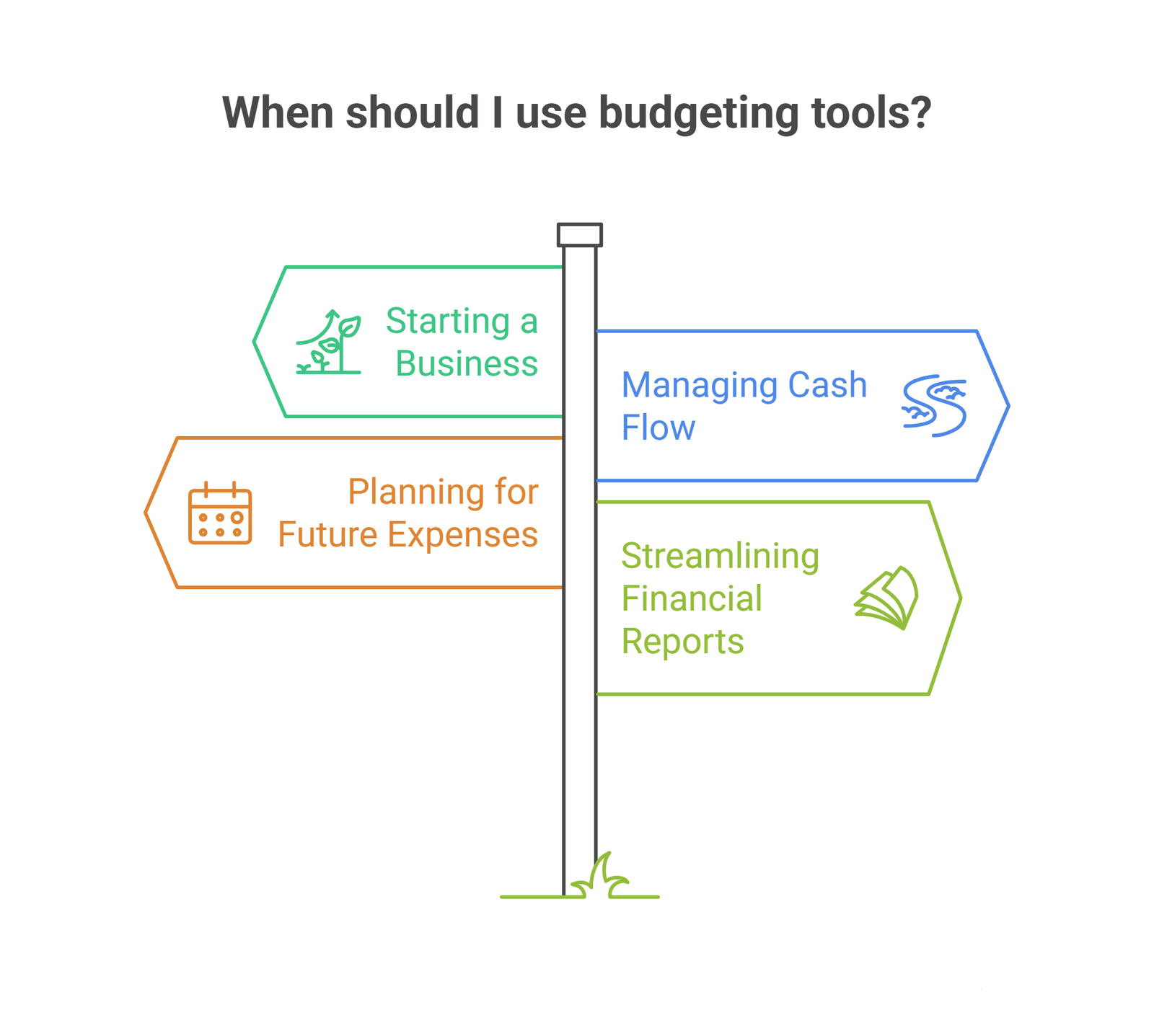
1. Starting a Business
The earliest stage of a business is when financial discipline matters most and is most often skipped. Founders are busy building the product, closing customers, and handling a hundred other things. Budgeting falls to the back burner.
Do not let it.
When you are starting out, a budgeting tool helps you map all anticipated costs before you start spending. Include taxes, rent or software costs, payroll, equipment, legal fees, and a realistic contingency for surprises. Run those against your expected revenue sources to get an honest view of when you will be profitable.
Set up automated reminders for bill payments and invoice due dates from day one. Late payments damage credit and cost money in penalties. Automated systems catch what busy humans miss.
2. Managing Cash Flow
Cash flow problems are the leading cause of business failure, even in profitable businesses. Revenue and expenses rarely line up perfectly. You might invoice a client in March but not get paid until May. Meanwhile, rent and payroll are due every month.
Budgeting tools help you look ahead. The key habits here:
Choose technology that matches your actual complexity. Compare features and pricing before committing. Check whether it integrates with your existing accounting software, POS system, or payroll tools. A tool that does not talk to your other systems creates more work, not less.
Build forecasts, not just reports. Looking backward tells you what happened. Looking forward helps you prepare. Find a tool that lets you model different scenarios, so you can prepare for both a slow month and a busy one.
Automate what you can. Set up recurring payment schedules, automatic invoice reminders, and threshold alerts. If your operating account drops below a certain level, you should know immediately, not at the end of the month.
3. Planning for Future Expenses
Every business has predictable future costs: equipment upgrades, team expansion, tax payments, lease renewals. The businesses that plan for these come out ahead. The ones that treat them as surprises often scramble.
Budgeting tools make future planning systematic:
Use detailed category breakdowns. Separate capital expenditures from operating costs. Break payroll into base salaries, bonuses, and benefits. The more granular your categories, the more accurate your projections.
Build a realistic timeline. If you know a large payment is coming in six weeks, your budgeting tool should reflect that. Map out cash needs on a timeline so you know exactly when you need funds available and can plan accordingly.
Use automation to stay accurate. Modern platforms can auto-categorize transactions, generate recurring entries, and flag anomalies. This keeps your records accurate without requiring manual review of every transaction.
4. Streamlining Financial Reports
Financial reporting is time-consuming when done manually. Pulling together a balance sheet, income statement, and cash flow statement at the end of each month or quarter can take hours. Budgeting tools cut that down dramatically.
They pull from the same data you are already tracking and generate reports automatically. You get balance sheets, income statements, cash flow summaries, and trend charts without starting from scratch each time.
For business owners who need to share financials with investors, partners, or a board of directors, this is invaluable. Accurate, up-to-date data presented cleanly builds credibility and supports better decisions.
Some platforms also allow you to export data into Excel or other tools for deeper analysis, which gives you the best of both worlds: automated data collection and flexible reporting.
Advanced Financial Budgeting Platforms
Once your business grows beyond a basic spreadsheet or consumer app, you will find yourself needing more firepower. This is where cloud-based financial modeling platforms come in.
What These Platforms Do Differently
Advanced platforms like Financli, Mosaic, Jirav, or Planful are built specifically for finance teams and business owners who need more than expense tracking. They offer:
Sophisticated financial modeling. Build multi-scenario revenue forecasts, sensitivity analyses, and detailed financial models tailored to your business structure. These are the kinds of models that impress investors and inform serious strategic decisions.
Real-time dashboards. Visualize financial data in interactive dashboards that you can share with stakeholders via email or browser. No more static PDFs that are out of date before they arrive.
Automated forecasting. The platform ingests your historical data and generates forward-looking projections automatically. You can adjust assumptions and watch the model update in real time.
Integration with existing data sources. Connect your accounting system, CRM, payroll software, and databases. The platform pulls everything together so your financial picture is always complete and current.
Anomaly alerts. Receive automatic notifications when something changes unexpectedly, like a sudden expense spike or revenue drop. You can respond quickly rather than discovering issues weeks later.
Who Needs an Advanced Platform?
If you are a startup preparing for a funding round, a CFO managing multiple departments, or a business owner who needs investor-grade financials on a regular basis, this tier of tooling is worth the investment. The time saved and the quality of insight gained far outweigh the cost.
Professional Budgeting Consultants
Tools are powerful. But sometimes the right call is bringing in a person.
What a Consultant Offers That Tools Cannot
A professional budgeting consultant brings experience, judgment, and perspective that software cannot replicate. They have worked with multiple businesses across different industries and economic cycles. They know what warning signs look like, what typical margins should be, and where businesses at your stage commonly make mistakes.
A good consultant will:
- Review your current financial structure and identify gaps
- Build or improve your budgeting and forecasting framework
- Provide personalized guidance based on your specific goals and constraints
- Help you understand regulatory requirements and ensure compliance
- Advise on long-term financial strategy, not just monthly tracking
They bring accountability too. Knowing someone knowledgeable is reviewing your numbers creates a discipline that self-managed tools alone do not always sustain.
When to Hire a Consultant vs. Use a Tool
This is not an either-or decision. Most businesses benefit from both. Use tools for day-to-day tracking, reporting, and automation. Bring in a consultant for strategic moments: fundraising, rapid growth, financial restructuring, preparing for acquisition, or when you feel like you have lost visibility into your own numbers.
Budget permitting, fractional CFO services are an excellent middle ground. You get senior financial expertise without the full-time cost, and your tools work alongside your consultant rather than replacing them.
Choosing the Right Tool for You
Here is a simple decision framework based on where you are:
| Your Situation | Recommended Tool |
| Just starting out, tight budget | Google Sheets or Excel with a solid template |
| Small business, want automation | A budgeting app (Mint, YNAB, Wave, or similar) |
| Growing business, need forecasting | Cloud-based platform (Jirav, Mosaic, or similar) |
| Fundraising or investor reporting | Advanced financial modeling platform or consultant |
| Complex, multi-entity finances | Full-service financial consultant or fractional CFO |
The best tool is always the one that matches your current stage and that you will actually use consistently. A sophisticated platform sitting unused is worse than a simple spreadsheet you check every week.
Frequently Asked Questions
How often should I review my business budget?
At a minimum, monthly. Most finance professionals recommend a quick weekly check-in to catch anything unusual, a full monthly review comparing actuals to projections, and a quarterly deep dive to adjust your annual plan based on real performance.
Can I use personal budgeting apps like Mint or YNAB for my business?
They can work for very small or solo businesses, but they were designed for personal use and have real limitations for business finances. You will likely outgrow them quickly. A dedicated business budgeting tool or accounting platform like QuickBooks or FreshBooks will serve you better.
Do I need a CFO if I already have good budgeting tools?
Not necessarily, but it depends on your stage. Tools handle data well; people handle judgment calls. If you are making significant financial decisions, raising capital, or your finances have become too complex to manage alone, a fractional CFO or financial consultant adds value that no software can replicate.
How do I get my team to actually use a budgeting tool?
Choose something simple enough that adoption is not a barrier. Train your team properly on the tool. And most importantly, make it clear how the tool connects to decisions that affect them. When people understand why tracking matters, they are far more likely to do it consistently.
What is the biggest budgeting mistake small businesses make?
Treating budgeting as a one-time exercise rather than an ongoing process. A budget created in January and never revisited is almost useless by March. Markets shift, expenses surprise you, and revenue rarely follows the plan exactly. Regular reviews and adjustments are what make a budget valuable.
Conclusion
There is no single budgeting tool that works perfectly for every business at every stage. The right answer depends on where you are, where you are headed, and how complex your finances have become.
Start with what is accessible and what you will actually use. A simple spreadsheet done consistently beats an enterprise platform that collects dust. As your business grows and your needs become more sophisticated, upgrade your tools to match. Add automation when manual data entry becomes a bottleneck. Consider a professional consultant when strategic decisions require more than software can offer.
What matters most is building the habit: track regularly, review consistently, and let the numbers guide your decisions. Businesses that do this are not just better managed financially. They move faster, plan smarter, and handle setbacks with far less panic.
Your financial clarity starts with the right tool. Now you know where to look.Outgrown Your Spreadsheets? Let’s Build a Map That Works. The best financial tools still need a strategic mind behind them. If your business is scaling and your current budgeting setup is feeling strained, our fractional CFO services can build, manage, and optimize a custom financial model for your business. Book a free financial strategy session.