Best Excel Add-Ins for Financial Modeling
Excel add-ins for Financial Modeling, and What AI Still Gets Wrong
Most add-in lists mix free Microsoft features with tools that cost thousands of dollars per seat. They rarely say what runs on a Mac, what needs a license, or what changed since last year.
This guide covers nine add-ins and add-in groups for financial modeling. Each entry states the cost model, where it runs and where it falls short. Prices were checked in October 2026 from vendor and review-site listings. They change often, so confirm before you buy.
The biggest change is AI. Excel assistants can now draft a three-statement model in minutes. Two independent tests, covered in item 8, show why the output still needs a full review.
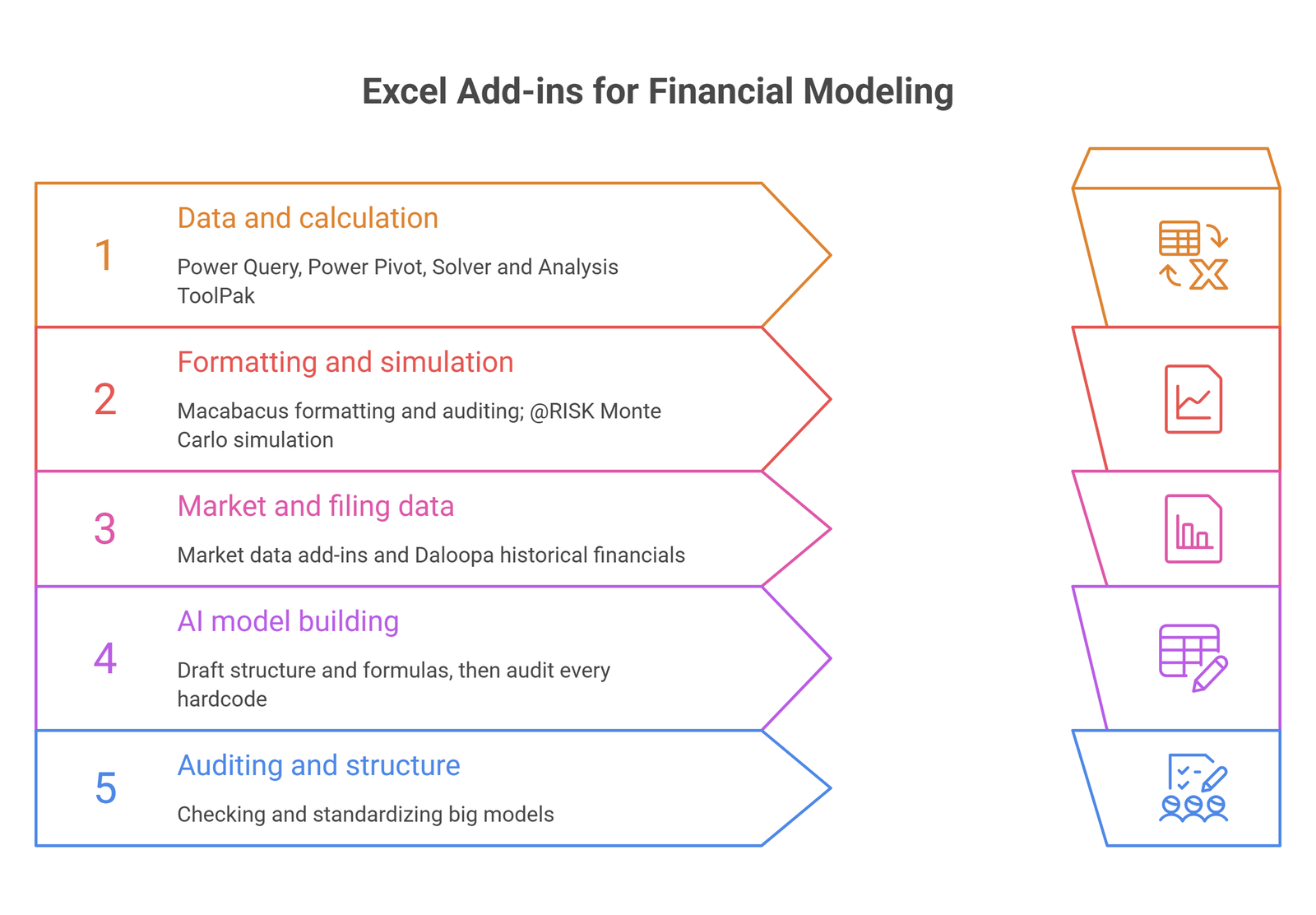
The add-ins at a glance
| Add-in | Best for | Cost model | Where it runs | Main limit |
| Power Query | Pulling and cleaning data | Free, built in | Excel 2016+ on Windows and Microsoft 365; Mac with fewer connectors | Features vary by Excel version; no Android or iOS |
| Power Pivot | Large data models | Free, edition-dependent | Windows desktop only | Not on Mac; Data Model workbooks break on Mac and web |
| Solver and Analysis ToolPak | Optimization and basic statistics | Free, built in | Excel desktop | Not a simulation engine |
| Macabacus | Formatting, auditing, PowerPoint links | From about $200 per user per year | Full version on Windows desktop Office; Lite on Mac and web | Lite has a small subset of features |
| @RISK | Monte Carlo simulation | Subscription, about $2,200 to $3,500 per year | Windows-centric | Price depends on edition and term |
| Market data add-ins | Live prices, filings, comps | Bundled with a data license | Varies by vendor | Needs an existing subscription |
| Daloopa | Historical data from filings | Quote only | Windows, Mac and web | Built for public-company research |
| AI add-ins | Drafting a first model | License or plan required | Copilot inside Excel; others via add-in | Errors in data and structure |
| Auditing and productivity tools | Checking big models | Paid; ASAP Utilities is $49 one-time | Mostly Windows | Pays off only with a team standard |
1. Power Query
Power Query is the first add-in most modelers should learn. It pulls data from files, databases and web sources, cleans it, and refreshes on demand. It sits under Get & Transform on the Data tab.
Microsoft’s support pages say it is included in Excel 2016 and later on Windows and in Microsoft 365. Microsoft 365 for Mac offers it through the Get Data command, with fewer connectors. Excel for Android and iOS does not support it. The feature set also varies by version: fuzzy merge works in Microsoft 365 but not in the Office 2019 perpetual edition.
The payoff is an actuals tab that updates without copy-paste. Export a monthly trial balance, point Power Query at the folder, and each new month loads on refresh. One caution: a query can break when a source file renames a column. Test the refresh before every close.
2. Power Pivot
Power Pivot builds relationships between tables and runs DAX measures over millions of rows. It suits models that draw on large transaction sets, such as customer cohorts or sales lines.
It is a Windows desktop feature. Microsoft’s availability page excludes Office for Mac and Android. It also excludes several 2016 editions, including Home & Business and Professional. Microsoft community answers report that Excel for the web cannot create Data Model PivotTables, and that Excel for Mac cannot refresh queries loaded to the Data Model. A workbook built on the Data Model can therefore break for Mac and web users.
A simple three-statement model does not need it. Add it when the data outgrows normal formulas. Pairing it with Power Query gives a clean load step and a fast calculation layer in one workbook.
3. Solver and Analysis ToolPak
Both are free and ship with Excel, but they are switched off by default. Turn them on under File, Options, Add-ins.
Solver finds the best mix of inputs under constraints. A typical use is maximizing year-end cash while staying inside a debt covenant. The Analysis ToolPak adds regression, descriptive statistics and random number generation. Together they cover basic scenario and risk work.
They are not a simulation engine. For thousands of runs with proper probability distributions, look at a tool like @RISK.
4. Macabacus
Macabacus is a productivity suite for Excel, PowerPoint and Word. In Excel, it covers formatting standards, formula tracing and a Model Check that runs more than 50 checks for formula risks and inconsistencies. It also links Excel ranges and charts to slides, which saves time on deal books and board packs.
It is sold per user per year. Capterra lists a starting price of $200, and Vendr’s data puts the standard tier near $395. A third-party review also quotes $200 or more. The gap suggests terms vary, so ask for a quote.
The full version needs the Windows desktop edition of Office. Macabacus’s system requirements say Office for Mac does not support this type of add-in. Mac and web users get Macabacus Lite, which has a small subset of the features. One Capterra reviewer reports slowness in large workbooks.
5. @RISK
@RISK adds Monte Carlo simulation to Excel. You replace fixed assumptions with probability distributions, run thousands of trials, and read the spread of outcomes instead of one number. It suits project finance, capital budgeting and any model where one assumption carries most of the risk.
Pricing changed after Lumivero acquired Palisade. @RISK moved from perpetual licenses to subscriptions, according to Vose Software. Software Advice lists Professional at $2,225 and Industrial at $2,895 per user per year. Vose reports that Lumivero’s own shop listed €2,900 and €3,500 per year in August 2026. Prices vary by currency and term. Older articles that quote a one-time license fee are out of date.
ModelRisk from Vose and Oracle Crystal Ball are the usual alternatives. For small models, a simple simulation built with RAND and a data table costs nothing.
6. Market data add-ins
If a model starts from live market data, the add-in comes from the data provider. Bloomberg’s Excel add-in needs a Terminal subscription. FactSet and S&P Capital IQ offer Excel plug-ins for company financials. PitchBook for Excel requires a PitchBook platform subscription, according to its Microsoft AppSource listing.
Bloomberg does not publish prices. Third-party estimates run from about $24,000 to $32,000 per seat per year. The cost sits inside the data license, so the real question is whether your team already holds one. Without a license, none of these add-ins is worth a standalone purchase.
7. Daloopa
Daloopa pulls historical financials and KPIs from filings into Excel, with each number linked back to its source. That matters because hand-keyed historicals are a common error source in public-company models. It installs from the Microsoft add-in stores and works in Excel on Windows, Mac and the web, according to Daloopa’s documentation.
Daloopa publishes no prices, and G2 notes that the vendor has not provided any. It also offers Scout, an AI agent that works on its data inside Excel. The product targets equity research and corporate finance teams that cover listed companies. It adds little for a private small-business model.
8. AI add-ins: Copilot, Claude, Shortcut and others
AI is the biggest change since most add-in guides were written. Microsoft’s Copilot Agent Mode works inside Excel. It needs a Microsoft 365 Copilot license or an eligible Premium, Personal or Family plan. Microsoft’s January 2026 announcement said it was not yet available in the EU or UK, so check your region. Claude for Excel and Shortcut install as add-ins.
Wall Street Prep tested four tools in February 2026 on one task: build a three-statement model for Apple from SEC filings. Shortcut scored 5.9 out of 10, Claude 5.5, Copilot 4.4 and ChatGPT 2.5. A top analyst scored 9.4 on the same scale, and a lower-tier analyst scored 6.4.
Three details matter when you read those numbers. WSP tested Claude Opus 4.6, Copilot on GPT-5, ChatGPT 5.2 and Shortcut v7.4. It says it will refresh the ranking quarterly, and no newer round had appeared when this guide was checked in October 2026. WSP also sells AI training and advisory services. And ChatGPT was not yet integrated into Excel during that test.
Historical data was the weak spot for two tools. Shortcut and Claude produced line items that were slightly wrong but still added up to the right subtotals. Copilot scored best on data accuracy, partly because it built the simplest model. Shortcut’s second attempt was nearly clean, while Claude’s still contained bad data. WSP advises uploading filings instead of asking a tool to find the numbers.
Integration was weak across the board. No tool modeled interest circularity, none handled debt correctly, and most used plugs instead of fully linked statements.
A second test points the same way. Ankura’s Office of the CFO team ran identical prompts through Claude for Excel, Copilot Agent Mode, ChatGPT in Excel and two tiers of Shortcut. The task covered three models for a fictional $180 million retailer: a long-range plan, a 13-week cash flow and a customer profitability analysis. All five tools produced structurally complete models in 7 to 10 minutes. None was production-ready, and every tool got formula mechanics wrong or left the structure incomplete. Ankura ran each prompt once with no follow-up, so results would likely improve with iteration.
Both tests support one workflow. Use AI to draft structure and formulas. WSP calls this getting a model from zero to about 60% complete. Then audit every hardcode, every balance sheet link and every debt schedule yourself.
9. Auditing and productivity tools
Large models need checking tools. Macabacus’s Model Check is one. The Operis Analysis Kit, known as OAK, is an Excel add-in for reviewing and building complex models, with checks on structure and formula risk. It is unrelated to Oak Business Consultant. Accelerate Excel offers range tracing aimed at M&A and due diligence work.
ASAP Utilities is the low-cost option. A business license is $49 per user as a one-time fee, with a 90-day trial. Its free edition is only for home, school and non-profit use, and it runs on Windows.
These tools pay off when a whole team follows one standard. A single analyst gets less value, because the benefit comes from consistency across every file.
How to choose
| Your situation | Start with |
| Solo consultant or startup finance lead | Power Query, Solver and an AI add-in for first drafts |
| Corporate FP&A team on Windows | Power Query, Power Pivot and Macabacus |
| Mac-first team | Power Query, Macabacus Lite and an AI add-in; skip Power Pivot |
| Investment banking or private equity | Macabacus, a market data add-in and an auditing tool |
| Risk-heavy projects | @RISK on top of the basics |
Start free. Power Query and Solver cost nothing and cover a surprising share of the work. Add a paid tool only when you can name the hours it will save.
When add-ins are not enough
Add-ins fix tasks inside a workbook. They do not fix the workbook itself. If several people edit one model, versions drift, or month-end means rebuilding the same data pull, the problem is the spreadsheet process. Oak’s guide to financial modeling tools for finance teams compares the FP&A platforms that replace or sit on top of Excel.
If the model is still being built, start with the basics. Read how to build a powerful financial model and the walkthrough on the integrated 3-statement financial model. Add-ins work best on top of a sound structure. The guide to the top 10 Excel formulas for financial modeling covers the formulas that every add-in output should be tested against.
Frequently Asked Questions
What are the best free Excel add-ins for financial modeling?
Power Query, Power Pivot, Solver and the Analysis ToolPak. All four ship with Excel, though Power Pivot is Windows-only and edition-dependent.
Is Power Query built into Excel?
Yes, in Excel 2016 and later on Windows and in Microsoft 365. It appears as Get & Transform on the Data tab. Mac support exists for Microsoft 365 subscribers with fewer connectors, and Excel for Android and iOS does not support it.
Can an AI add-in build a full financial model?
It can build a draft. In Wall Street Prep’s test, the best tool still scored below a lower-tier analyst. In Ankura’s test, no tool produced a production-ready model. Treat the output as a first pass that needs a full review.
Is @RISK better than the Analysis ToolPak for Monte Carlo work?
For serious simulation, yes. @RISK runs distribution-based trials and reports the spread of outcomes. The ToolPak’s random number generation can support simple simulations, but it is not a simulation engine.
Does Macabacus work on Mac?
Only in a reduced form. The full version needs Windows desktop Office. Mac and web users get Macabacus Lite, a smaller subset of the features.
How do I install an Excel add-in?
Add-ins from Microsoft AppSource install from Home, Add-ins on Windows or Tools, Add-ins on Mac. Solver and the Analysis ToolPak switch on under File, Options, Add-ins. Third-party tools like Macabacus use their own installers.
Should I use add-ins or FP&A software?
Add-ins suit one modeler or a small team in a single workbook. FP&A software suits teams that need shared data, version control and live actuals.
Check the tie-outs, not the tool
The best add-in setup is usually small. Learn Power Query, switch on Solver, and add one paid tool that matches your daily work. Whatever you add, run the same three tie-outs on every model: the balance sheet balances, closing cash matches the cash flow statement, and every hardcode has a source.
Oak Business Consultant builds investor-ready 3-statement, DCF and scenario models for startups and growing companies. Book a free consultation with the financial modeling team, or start from a ready-made Excel financial model template.