Top 10 Financial Modeling Tools for Finance Teams
10 Financial Modeling Tools, from Excel to AI-native FP&A
Most finance teams still build their models in Excel. The real question today is when that stops working. Broken links, version confusion and month-end data pulls push teams toward dedicated FP&A platforms, and nearly every major vendor now ships an AI assistant on top.
This guide ranks ten tools by who they fit, not by who has the biggest brand. It covers what each costs, how long setup takes, and where each one struggles. Confirm prices with the vendor before you commit, since they change often.
Three kinds of financial modeling tool
The market splits into three groups, and the group matters more than the brand.
Spreadsheets keep you in full control of every formula. Excel and Google Sheets sit here.
Spreadsheet-native platforms keep Excel or Google Sheets as the working surface and add a data layer, live actuals and governance underneath. Cube, Datarails and Vena sit here. Teams skip a model rebuild, which is why Aleph’s latest comparison says this group keeps winning mid-market share.
Web platforms replace the spreadsheet with a purpose-built application. Jirav and Planful serve mid-market teams, while Pigment, Anaplan and Workday Adaptive Planning serve large enterprises. You gain structure and collaboration, but you rebuild your models.
The tools at a glance
| Tool | Type | Best for | Typical setup | Reported starting price |
| Microsoft Excel | Spreadsheet | Custom, detailed models | None | Included in most Microsoft 365 plans |
| Google Sheets | Spreadsheet | Small teams that collaborate live | None | Free for individuals |
| Cube | Spreadsheet-native | Spreadsheet-first SMB and mid-market | 2 to 4 weeks | From $1,250 per month |
| Datarails | Spreadsheet-native | Excel reporting and close | 2 to 4 weeks | Ask the vendor |
| Vena | Spreadsheet-native | Excel with strict governance | 1 to 3 months | Ask the vendor |
| Jirav | Web | SMBs and accounting firms | 2 to 4 weeks | From $833 per month, billed annually |
| Planful | Web with Excel add-in | Close, consolidation and planning | 1 to 3 months | Custom quote |
| Pigment | Web | Cross-department modeling | 1 to 3 months | Tiered plans |
| Anaplan | Web | Global, complex planning | 3 to 6 months | $60,000 to $100,000+ per year |
| Workday Adaptive Planning | Web | Workday customers and multi-entity firms | 3 to 6 months | Custom quote |
Setup times come from Aleph’s latest comparison. Starting prices for Cube, Jirav and Anaplan come from Coefficient’s comparison, so treat them as a guide, not a quote. Aleph is itself an FP&A vendor, so its framing leans toward spreadsheet-native tools. We use it for setup times and market changes, not for rankings.
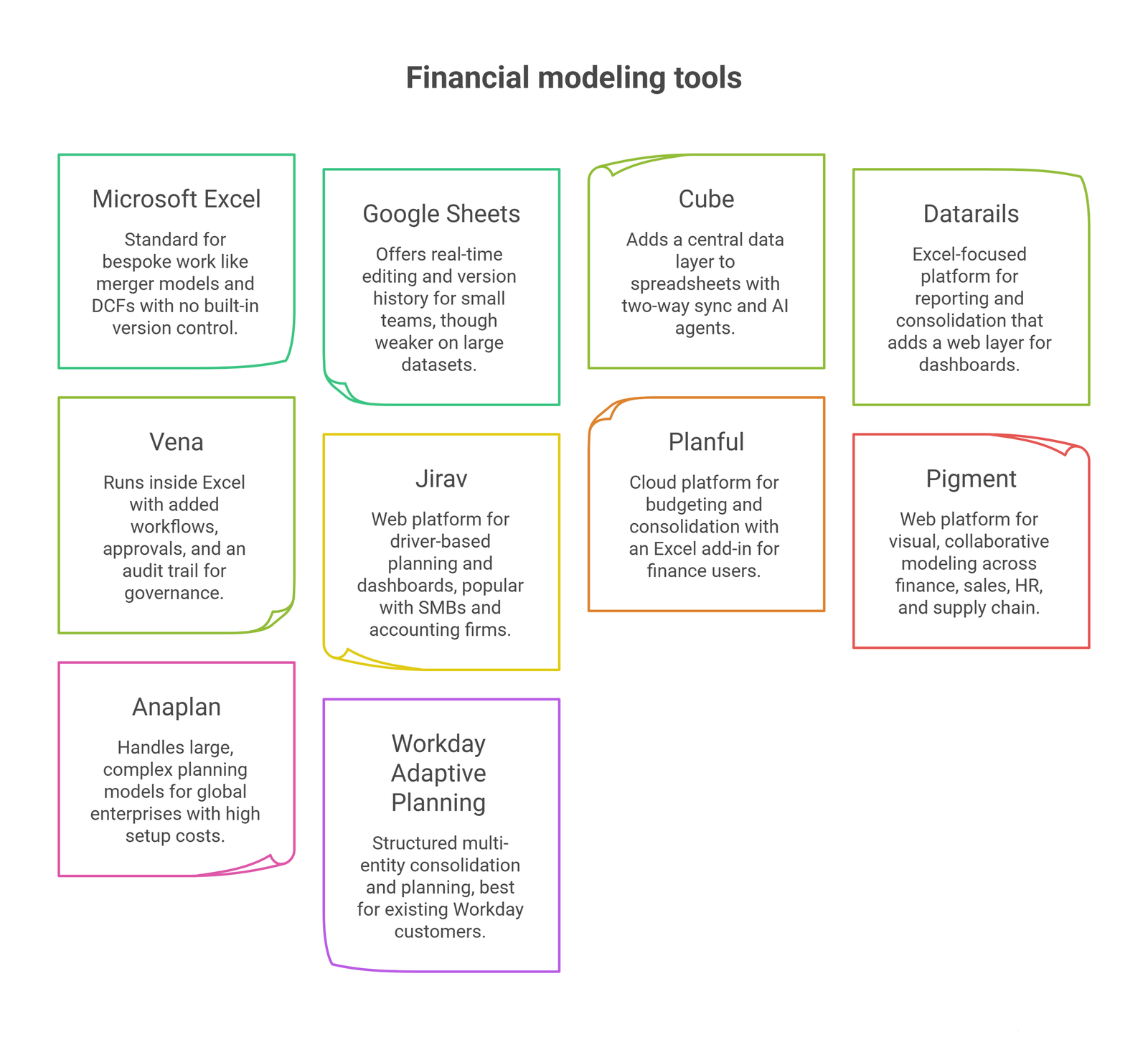
1. Microsoft Excel
Excel remains the standard for bespoke work: merger models, DCFs, and any model with unusual structure. It is the one tool where you can build anything. Wall Street Prep notes that analysts at banks still open Excel and rebuild models from old templates, even with AI in the mix.
The weaknesses are well known. There is no built-in version control, real-time collaboration is limited, and consolidating several entities by hand invites errors. Most of those problems can be eased with add-ins, which we cover in our guide to the best Excel add-ins for financial modeling.
2. Google Sheets
Sheets gives small teams real-time editing, automatic version history and a free entry point. It suits startups and decentralized teams that want everyone in one file.
It is weaker than Excel on very large datasets and advanced financial functions. Teams that outgrow it often add a layer such as Cube rather than leaving Sheets entirely.
3. Cube
Cube adds a central data layer to Excel and Google Sheets with two-way sync. Finance teams keep their familiar models while gaining drill-down, scenario planning and version control. Aleph’s comparison puts typical setup at two to four weeks.
Cube has repositioned itself as a financial intelligence platform and added AI agents. The trade-off is that the tool still depends on your spreadsheet skills. Some reviewers report slow sync on large workbooks.
4. Datarails
Datarails is an Excel-focused platform for reporting, consolidation and close. It keeps your existing workbooks intact and adds a web layer for dashboards and board reporting. Setup is typically two to four weeks.
It is built around Excel, so Google Sheets teams get less from it. Its FinanceOS assistant answers questions on the consolidated data.
5. Vena
Vena runs inside Excel but stores data in its own database, with workflows, approvals and an audit trail on top. It fits companies already on Microsoft 365, Power BI and Dynamics, especially those with multi-entity or regulated reporting.
Implementation takes longer than with lighter tools, typically one to three months. Complex setups often need an implementation partner.
6. Jirav
Jirav is a web platform for driver-based planning, workforce planning and dashboards. It connects to QuickBooks, Xero, NetSuite and Sage Intacct, which makes it a common pick for small businesses and for accounting firms serving several clients.
Its modeling is less flexible than a pure spreadsheet. Custom logic can run into limits. Setup is usually quick, at two to four weeks.
7. Planful
Planful combines budgeting, forecasting, close and consolidation in one cloud platform, with an Excel add-in for finance users. It suits upper mid-market companies that want structured processes and one system of record.
Aleph reports that Planful’s Planner Assistant is now generally available. Reviewers mention a learning curve, and AI features are sold as add-ons.
8. Pigment
Pigment is a web platform built for visual, collaborative modeling across finance, sales, HR and supply chain. It is fast at scenario building and has a modern interface.
Cost and modeling depth put it out of reach for most companies under 500 employees, according to Aleph. Pigment also offers an MCP server, which lets AI tools such as Claude and ChatGPT work with models in Pigment directly.
9. Anaplan
Anaplan handles very large, connected planning models across finance, sales and operations. It is the long-standing choice for global enterprises with complex needs.
That power has a price. Coefficient lists it at $60,000 to $100,000 or more per year, and setup runs three to six months, usually through a partner. Rework’s FP&A guide says it is usually not worth the cost below roughly 1,000 employees.
10. Workday Adaptive Planning
Workday Adaptive Planning, now branded Adaptive from Workday, offers usable planning for budget owners, workforce planning tied to Workday HCM, and structured multi-entity consolidation. Value is highest for companies already on Workday.
Setup runs three to six months. Reviewers cite reporting flexibility and customization cost as recurring pain points.
Also worth knowing
Several names from earlier versions of this list have changed.
- Causal was acquired by Lucanet in October 2024 and is now part of its CFO software platform.
- Mosaic was acquired by HiBob in 2025 and relaunched as Bob Finance in November 2025. Its roadmap now follows HiBob’s HR platform.
- Abacum is a mid-market web platform for collaborative planning.
- NetSuite Planning and Budgeting and Oracle Cloud EPM make sense mainly for companies already standardized on those ecosystems.
What has changed: AI and agents
Aleph’s comparison notes that every vendor on its list now ships an AI assistant or agent. The useful question is no longer “does it have AI” but “what data does it run on, and whose permissions does it use?”
Check three things in any demo. First, does the AI work on live, connected data or on uploaded exports? Second, can you trace an AI-generated number back to a transaction? Third, is the feature included or sold as an add-on?
AI inside Excel itself is also improving, though it needs review. In Wall Street Prep’s test, the best AI tool scored 5.9 out of 10 on a three-statement model, against 9.4 for a top analyst.
How to choose
Work through these questions in order.
- Spreadsheet or not? Decide whether your team will stay in Excel or Sheets. This one answer removes half the list.
- Live data or exports? Ask to see a refresh happen during the demo.
- Setup time. Multiply the vendor’s estimate by your team’s real availability.
- Admin dependency. After launch, can an analyst change a model, or does it take an administrator?
- Total cost. Add license, implementation and the monthly admin hours. The last two cause most surprises.
A rough guide by company size:
| Situation | Reasonable starting point |
| Under 50 staff, one finance person | Excel or Sheets, plus a light layer such as Cube |
| 50 to 500 staff, lean finance team | Spreadsheet-native: Cube, Datarails or Vena |
| Accounting firm or fractional CFO serving many clients | Jirav |
| 1,000+ staff, cross-department planning | Pigment, Anaplan or Workday Adaptive Planning |
Frequently Asked Questions
Why is Excel still the top financial modeling tool?
It offers unmatched flexibility. Analysts can build any model structure, from a DCF to a merger model, without software limits. Its weakness is governance, not capability.
What is the main problem with using only Excel for FP&A?
Control. Without central data and version control, collaboration slows, consolidation turns manual, and errors creep in during scenario changes.
Do dedicated tools replace Excel completely?
Not always. Spreadsheet-native tools such as Cube, Datarails and Vena keep Excel as the interface. Web platforms such as Pigment and Anaplan replace it and require rebuilding models.
Is Causal still available?
Causal was acquired by Lucanet in October 2024 and now sits inside Lucanet’s CFO platform. Check current availability and terms with Lucanet.
How much does FP&A software cost?
It ranges widely. Coefficient’s comparison lists Jirav from $833 per month, Cube from $1,250 per month and Anaplan from $60,000 per year. Many vendors quote only on request.
When should a company move beyond spreadsheets?
When several people edit one model, versions drift, or month-end means rebuilding the same data pull. Those are process problems, and a tool fixes them better than another round of formulas.
Conclusion
The right tool is the one your team will keep using after the demo. Start from how your finance team works today, then pick the lightest platform that fixes your actual bottleneck. A tool that needs months of setup to solve a two-hour problem is a poor trade.
Whichever tool you choose, the model underneath still needs sound structure. Our guides on how to build a powerful financial model, the integrated 3-statement model and the main types of financial model cover that foundation, and our financial Excel model templates give you a tested starting point.
Ready to move beyond ad hoc spreadsheets? Oak Business Consultant builds investor-ready models tailored to your business and scenarios. Explore our financial modeling services and book a free consultation.